Managing WordPress Updates
Short Hills Design
Wordpress Updates
Your Wordpress installation requires that you provide an email address in order to send you infrequent - but important updates. In general, Wordpress will only send you an email when a new version of WordPress is available, or if Wordpress has automatically completed a minor update (this is the expected behavior). You can view or change this email address by navigating to your admin panel.
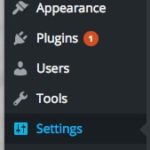
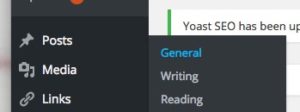
- Click: Settings -> General
 2. Scroll down to the “Email Address” box.
  3. Enter your preferred email address, and then scroll to the bottom of the page and press “Save Changes”